Install the new Ascendra mods
Add WebDisplays and MCEF to the Ascendra modpack so your game matches the server.
The server is on the Ascendra modpack. Two mods were added after the pack was published, so CurseForge will not install them for you. Download these Forge 1.20.1 builds and drop the jars into the instance. Do not use the newer MCEF file on the project page. That one is for a different Minecraft version.
- WebDisplays 2.0.2-1.20.1. File name
webdisplays-2.0.2-1.20.1.jar. Download. - MCEF 2.1.6-1.20.1 for Forge. File name
mcef-forge-2.1.6-1.20.1.jar. Download.
WebDisplays puts web browsers on screens in the world. MCEF is the browser library it needs. Install both.
Close the instance
Open the CurseForge app and stay on My Modpacks. If Ascendra is running, use Kill Instance. Copying mods into a running game does not load them.
Open the Ascendra folder
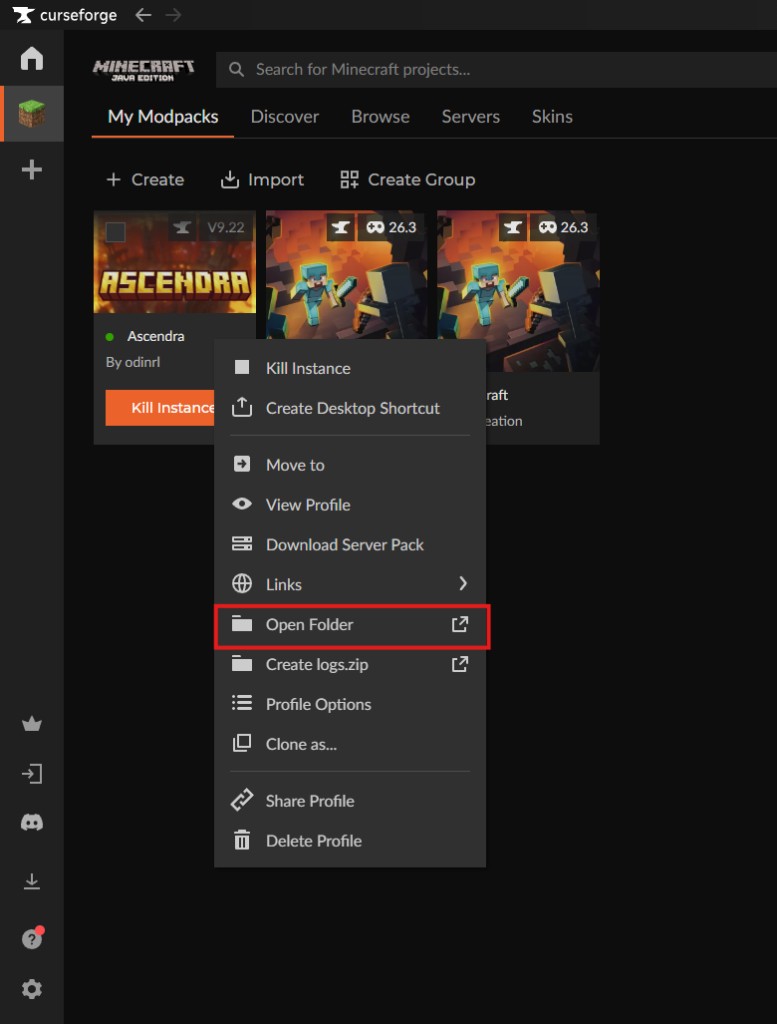
Right-click the Ascendra profile and choose Open Folder.
Drop the jars in mods
Open the mods folder inside that instance. Copy both jars into it. Leave them as .jar files. Do not unzip them, and do not remove the other mods already in the folder.
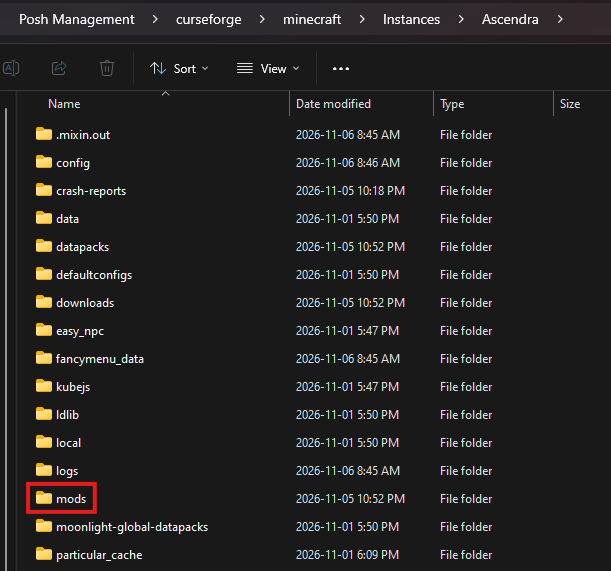
You should see webdisplays-2.0.2-1.20.1.jar and mcef-forge-2.1.6-1.20.1.jar next to the rest of the pack.
Launch and join
Start Ascendra from CurseForge. The first launch after adding MCEF can sit for a few minutes while it downloads the browser files. Wait until you reach the main menu, then join the server.